
Even better! You can send the email yourself when you log into the Freshdesk Helpdesk!
Step One:
Create a ticket
Step Two:
Select Canned Response on the emails editing navigation bar at the bottom of the body of the email. It is the paragraph with the star to the left of the open book.
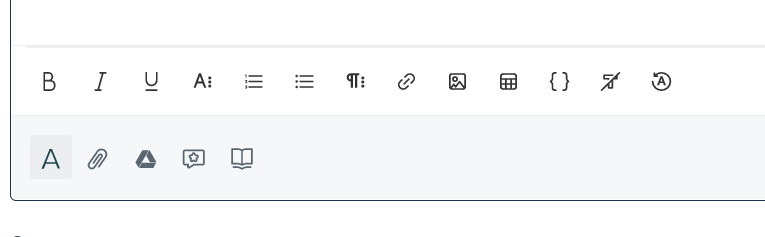
You will be then be prompted to select from options of available canned responses.
Choose the best response to use in it's entirety, or edit to your liking.
Need a custom response? email the desired information to be updated in your canned response to sales@hanleeglobalus.com, copy and paste this in the subject line,
ATTN: Update to Canned Response Database